What It Is
The Trueflo AI connector links Claude or ChatGPT to your own Trueflo AI account. You can then ask things like "Who do I need to call back today?" or "Book Sarah for Friday at 2", and the assistant answers from your live Trueflo AI data, or does it for you after you confirm.
The connector address is https://app.trueflo.ai/mcp.
Who Can Connect
Anyone with an owner or manager login to Trueflo AI, on any plan or free trial. You approve the connection for one business at a time. There is nothing to install.
Connect in Claude
Trueflo AI is listed in Claude's connector directory, so there is no address to paste.
- In Claude, open Settings, then Connectors.
- Search for Trueflo AI and press Connect.
- Sign in to Trueflo AI when asked.
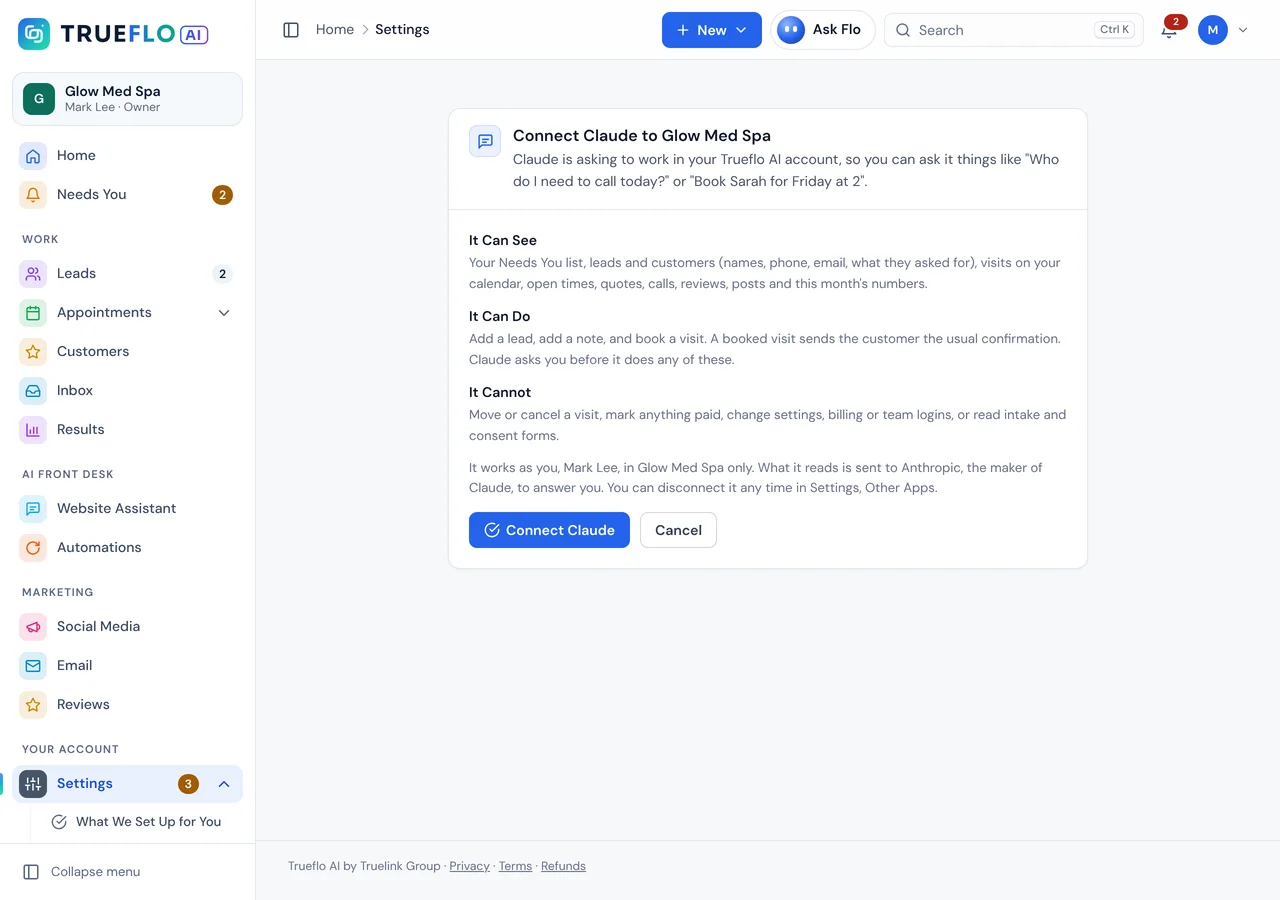
- Check what the connection allows, then press Connect Claude.
If you cannot find it in the list, choose Add Custom Connector and paste https://app.trueflo.ai/mcp.
Connect in ChatGPT
- In ChatGPT, open Plugins and press the plus button.
- Choose Add custom MCP server.
- Name it Trueflo AI and paste
https://app.trueflo.ai/mcp. - Sign in to Trueflo AI when asked.
- Check what the connection allows, then press Connect ChatGPT.
Before you ask a question, pick Trueflo AI in the chat: use the plus menu or type @Trueflo AI. Menu names can differ with your ChatGPT plan.
What It Can See
- Your Needs You list: what's waiting for you today
- Leads and customers: names, phone, email and what they asked for
- Visits on your calendar, and open times
- Quotes, calls, reviews and posts
- This month's business numbers
What It Can Do
- Add a new lead
- Add a note to a lead or customer
- Book a visit at an open time
It always asks you to confirm before it adds or books anything. A booked visit sends the customer the same confirmation email they would get from Trueflo AI.
What It Cannot Do
- Move or cancel visits
- Take or record payments, or mark anything paid
- Send texts or emails on its own
- Change settings, billing or team logins
- Read intake forms, consent forms or health notes
- See any business other than the one you connected
Do these in the Trueflo AI app.
Things to Ask
- "Who do I need to call back today?"
- "What visits do I have tomorrow?"
- "What times are open on Friday for a tune-up?"
- "How is my business doing this month?"
- "Add Maria Lopez and book her for Friday at 2."
Disconnect
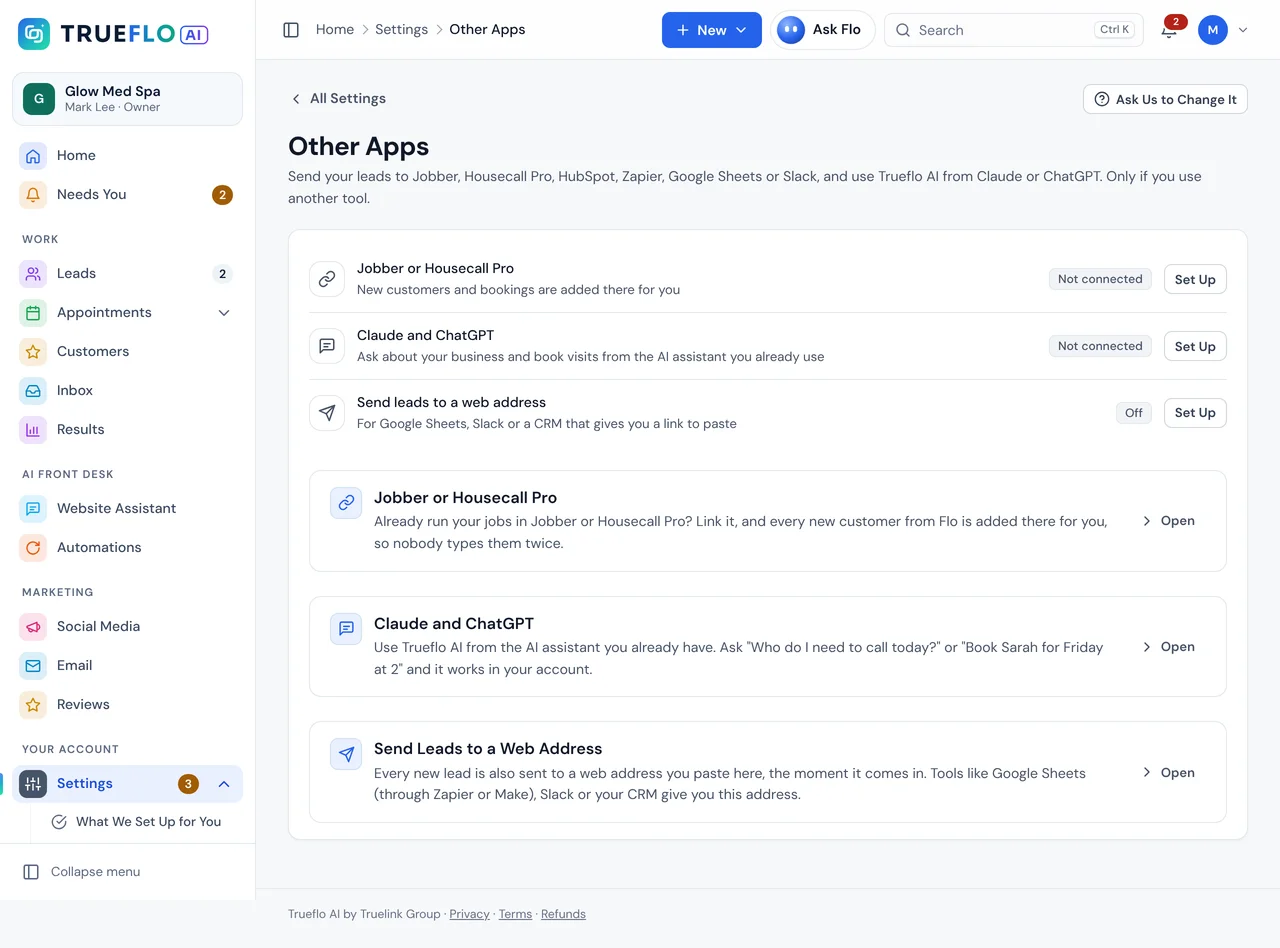
In Trueflo AI, go to Settings, then Other Apps, open Claude and ChatGPT and press Disconnect. Access stops straight away. You can also remove the connector in Claude or ChatGPT.
Privacy
Information is sent to the assistant only when you ask it something, and Anthropic or OpenAI then handle it under your own agreement with them. We keep a record of the connection and when it was last used. Read more in our Privacy Policy.
Get Help
Email support@trueflo.ai and we'll help you connect.