How It Works

Your Business Gets a Marketing Team. Without Hiring One.

Trueflo AI keeps your social pages busy, answers every call, text, chat and lead email, books the visit and follows up. We set it up with you in about a week. After that, your part is a few taps.

Live in about a weekWe do the setupNothing posts without your OK
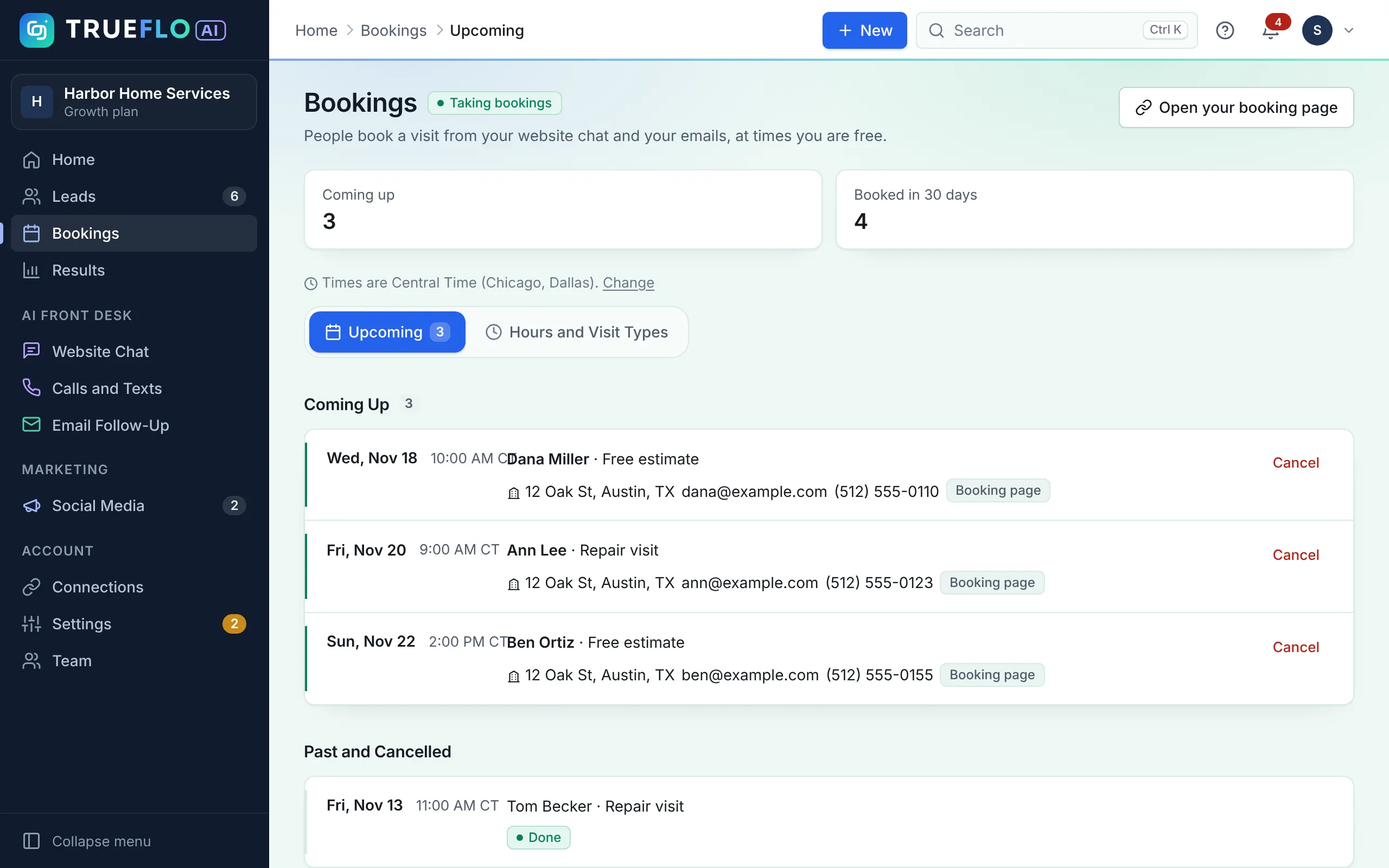
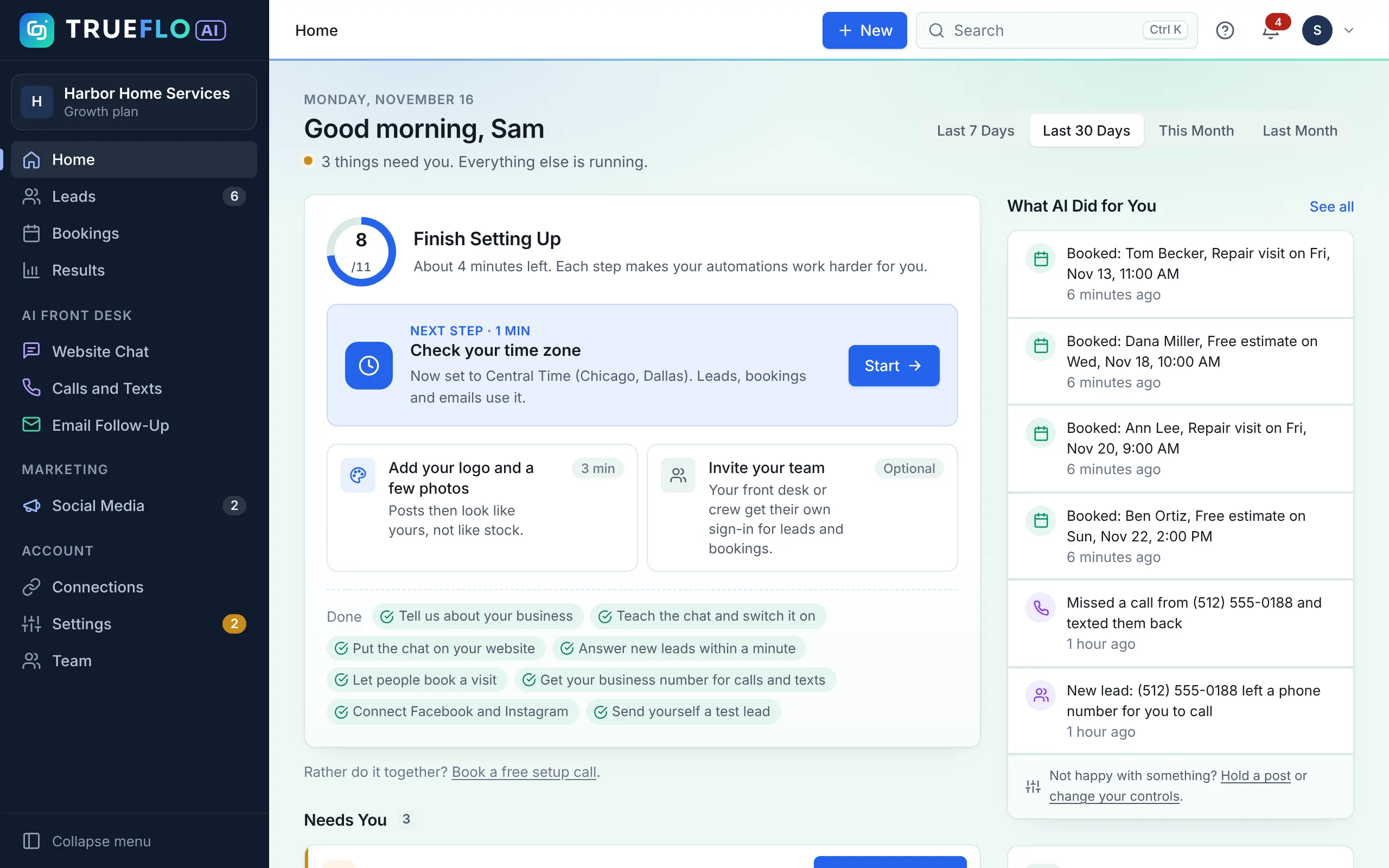
The Trueflo AI home screen: setup progress, posts waiting for approval, new leads, and a list of visits the AI booked
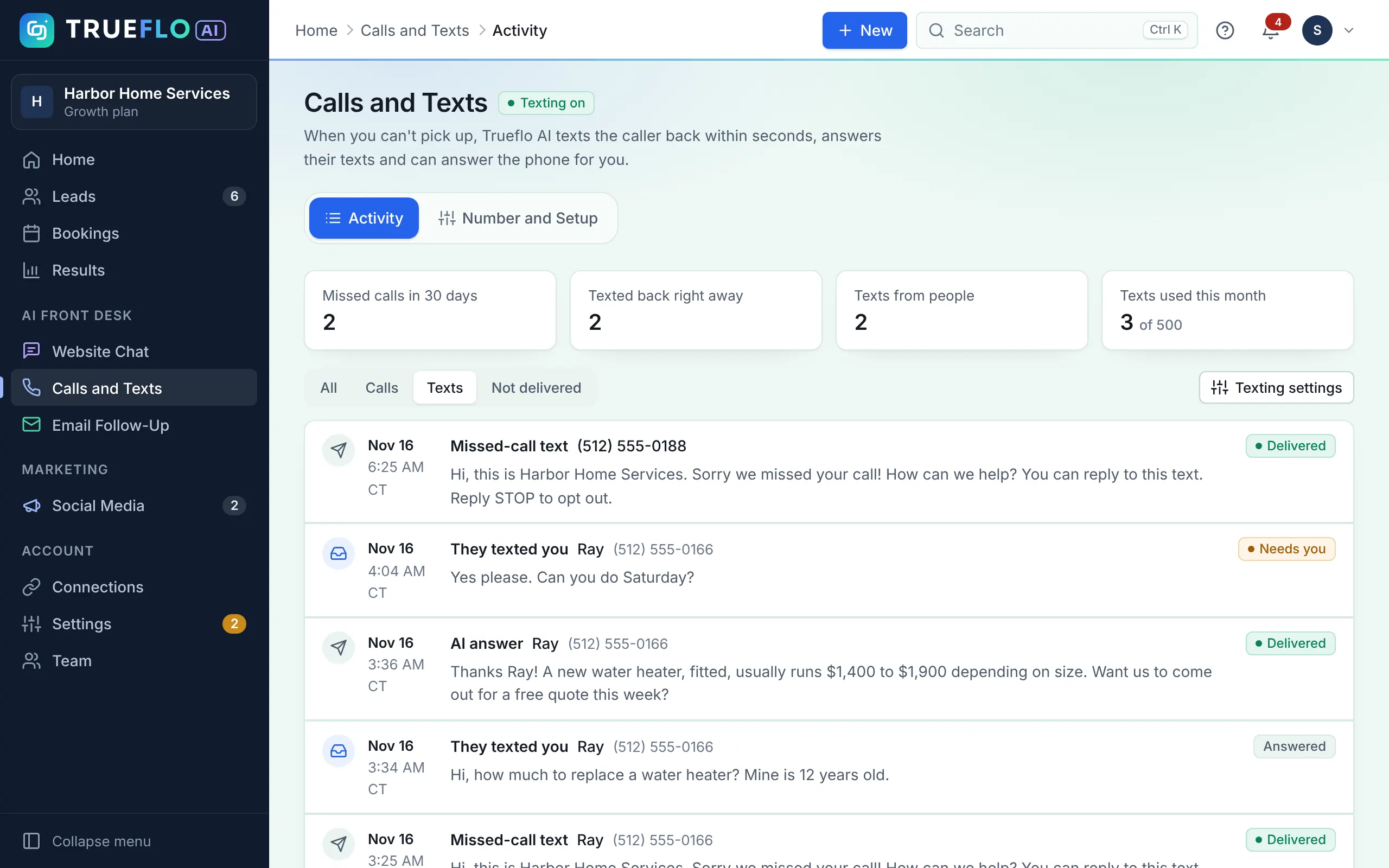
The real Trueflo AI app, shown with a sample account
The Big Picture

Attract. Engage. Follow Up.

Three jobs every local business needs done. Trueflo AI does all three, and each one hands people on to the next.

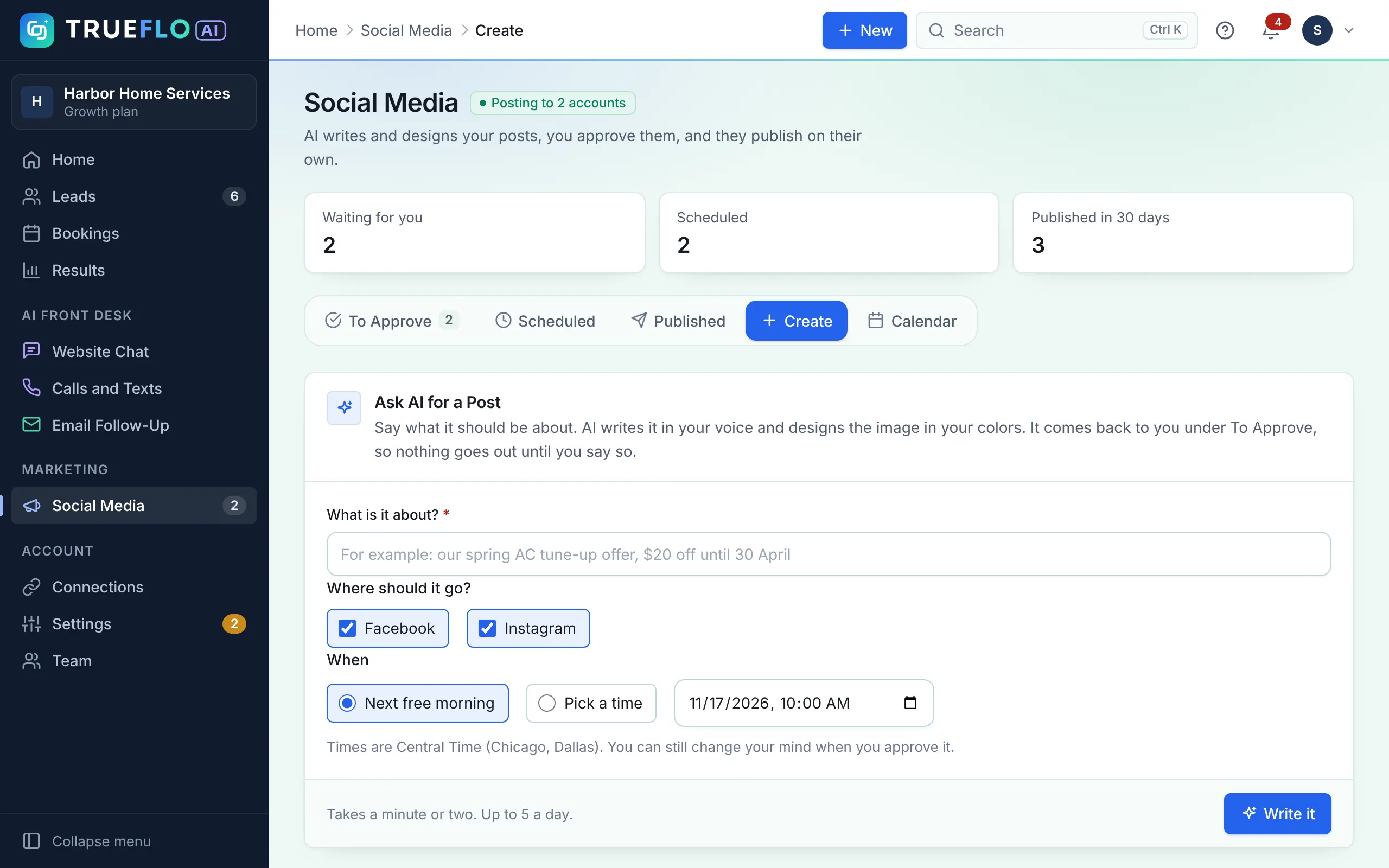
Posts That Keep You in Front of Local Customers

  • AI writes and designs up to 60 posts a month in your brand, planned around your services and seasons.
  • You approve from your phone, ask for a change, or switch on autopilot.
  • Posts publish on their own to Facebook, Instagram, LinkedIn, Threads, X and Pinterest, with your booking page link in posts and bio.
How Social Media works →
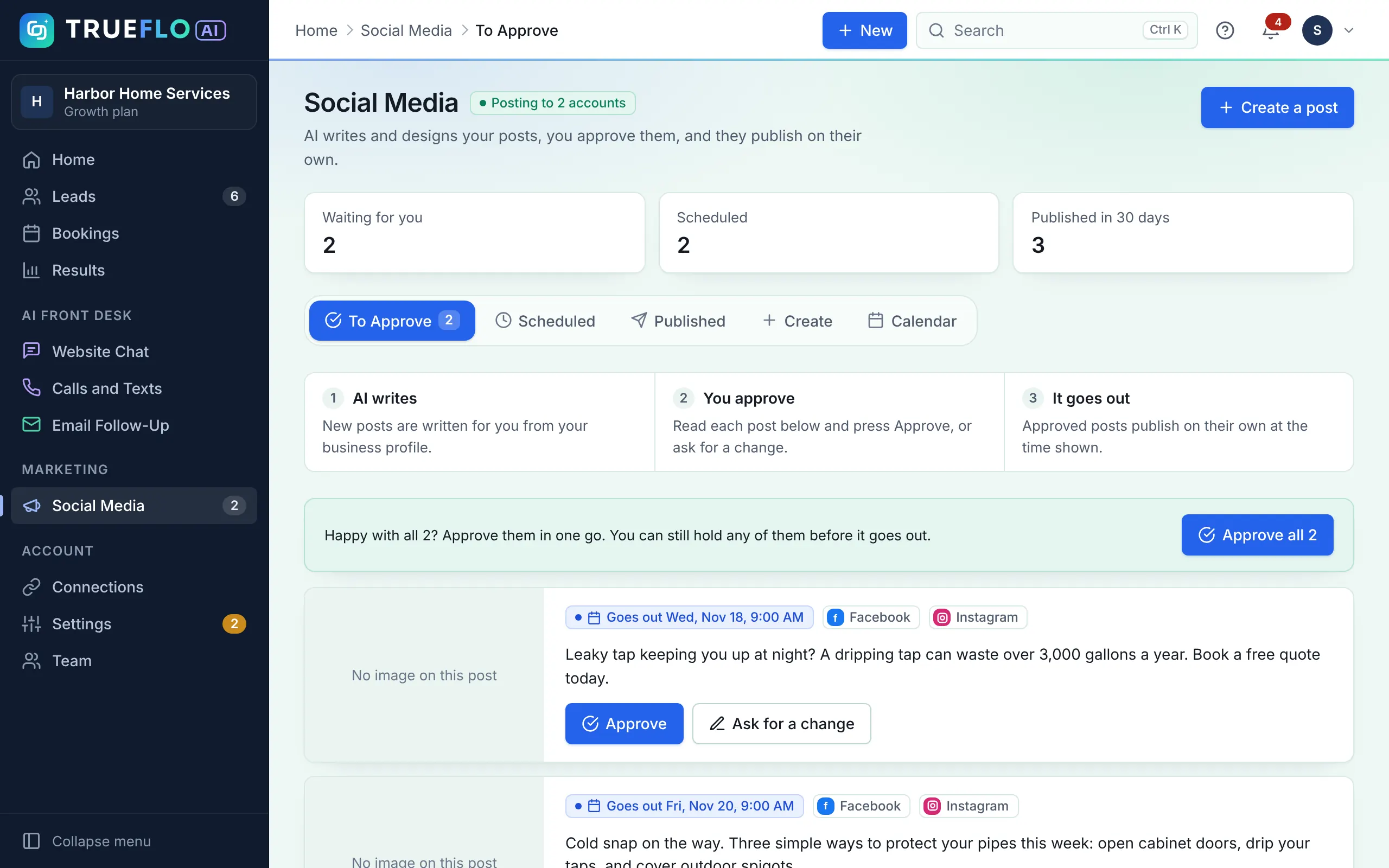
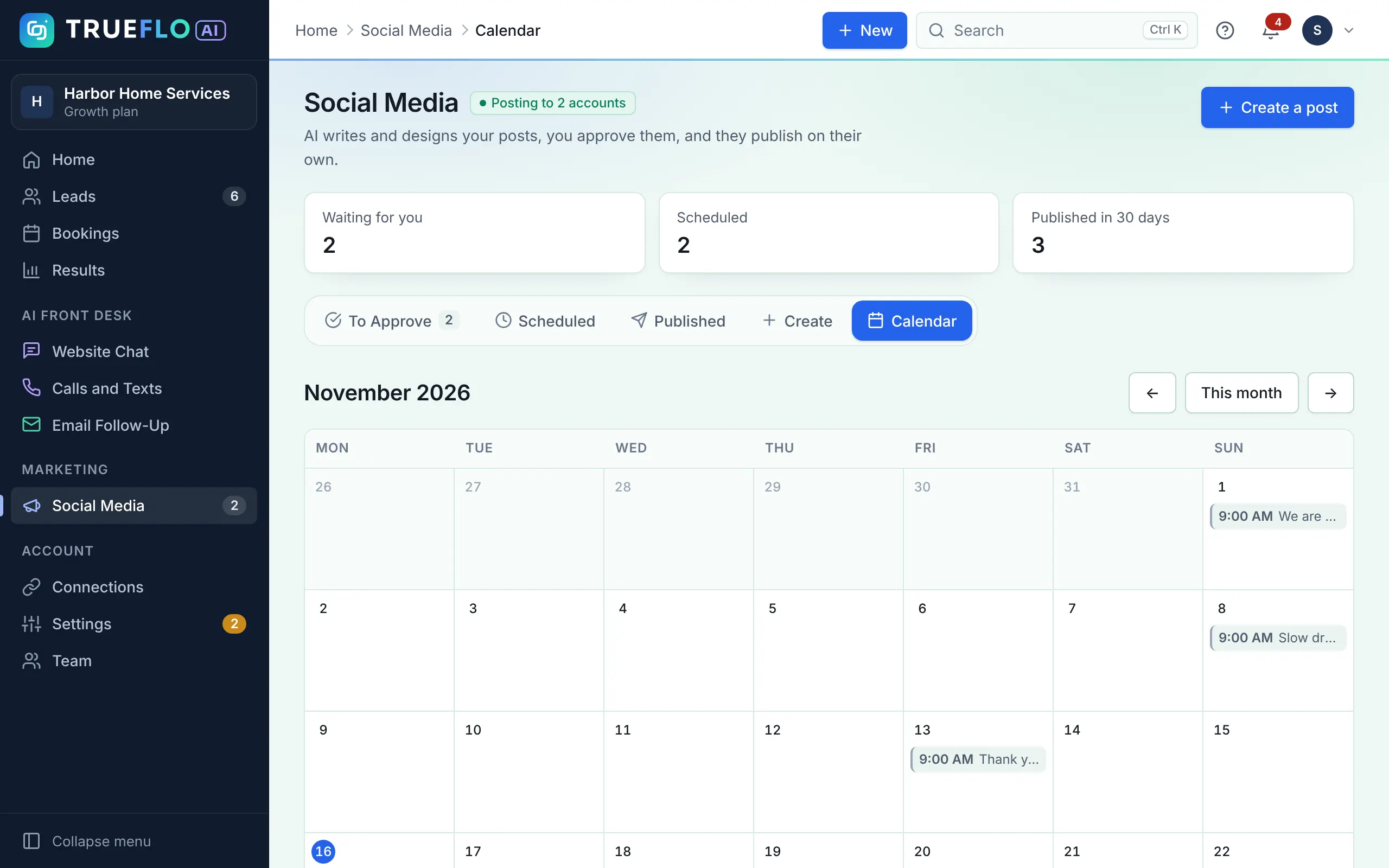
Social Media screen with two AI-written posts waiting, each with Approve and Ask for a change buttons
Posts waiting for your OK

All-in-One includes all three for $349 a month. Compare plans

A Sample Week

What a Week With Trueflo AI Looks Like

An example week for a home services business on All-in-One. Your part takes about ten minutes.

  1. Mon 9:00 AM
    Social3 posts waiting for your OK

    You approve two and ask for a change on one. About a minute.

    You · 1 min
  2. Mon 8:40 PM
    Website AssistantVisitor asks about a furnace tune-up

    The chat gives your price, offers Thursday times and books 10 AM.

  3. Tue 2:14 PM
    Missed callYou're on a roof and can't pick up

    The caller gets a text in seconds. They reply with the problem and pick a time.

  4. Wed 11:02 AM
    Lead emailNew form enquiry answered

    A reply goes out within a minute, written from your prices and services.

  5. Fri 10:00 AM
    Follow-upDay 2 follow-up sent

    The lead from Wednesday hasn't booked yet, so they get a friendly nudge.

  6. Fri 4:30 PM
    ReviewJob done, review request sent

    You tap Job done on Tuesday's caller. They get a Google review link.

    You · 1 tap
What You Can Buy

Two Plans, One Bundle and an Add-On

Every feature below belongs to one of these. Buy AI Social Media Manager or AI Front Desk on its own, or get both with All-in-One.

Add-on for AI Front Desk and All-in-One: AI Voice Receptionist. It answers your calls, takes the details, puts urgent calls through and saves a transcript. $149/mo for 300 minutes, added on request.

Every Feature, Step by Step

Explore Each Feature

Pick what you want to see. Each feature shows what Trueflo AI does, what you do, and what your customer sees.

AI Social Media Manager

Your social media, done for you.

$149/mo →

AI Social Posts

Posts that sound like you, made every week without you writing a word.

  1. 1We load your services, offers, logo, colors and photos on the kickoff call.
  2. 2The AI writes and designs up to 60 posts a month, with up to 30 AI-made pictures, planned around seasons and promos.
  3. 3Each post waits in your queue with the day and time it goes out.
Your part

Approve, ask for a change in plain words, or switch on autopilot.

Your customer sees

Regular, on-brand posts on Facebook, Instagram, LinkedIn, Threads, X and Pinterest.

Approve and Publish

A minute or two a week is all it takes.

  1. 1You get a nudge on your phone or by email when posts are ready.
  2. 2Tap Approve or Approve all. Nothing goes out without your OK unless you choose autopilot.
  3. 3Approved posts publish on time, with 10 minutes to undo.
Your part

Tap Approve.

Your customer sees

Posts that go out on time, every week.

Booking Page

Every plan includes a page where customers pick a time.

  1. 1You set your services and hours once.
  2. 2Posts and your social bio link to your booking page.
  3. 3New bookings show up in Trueflo AI and your calendar.
Your part

Set your hours once.

Your customer sees

A simple page to pick a time.

AI Front Desk

Every customer answered and booked.

$249/mo →

Missed-Call Text-Back

The call you couldn't take becomes a booked job.

  1. 1You keep your number and forward unanswered calls to your Trueflo AI number. We help you set it up.
  2. 2When you can't pick up, the caller gets a text from your local number within seconds.
  3. 3The AI keeps the conversation going by text and books them in.
Your part

Nothing after setup.

Your customer sees

A text from your business, not a bot number.

Texting starts after US carrier approval, usually a few days and up to 3 weeks.

Two-Way AI Texting

Customers text like they would a friend. The AI answers like your best front desk person.

  1. 1Customers text your local number any time.
  2. 2The AI answers from your services, prices and hours, asks what they need and offers open times.
  3. 3If it isn't sure (a complaint, an unknown price, anything medical) it marks the text "Needs you" and alerts you.
Your part

Step in whenever you want. 500 texts a month included.

Your customer sees

Quick, friendly answers by text, day or night.

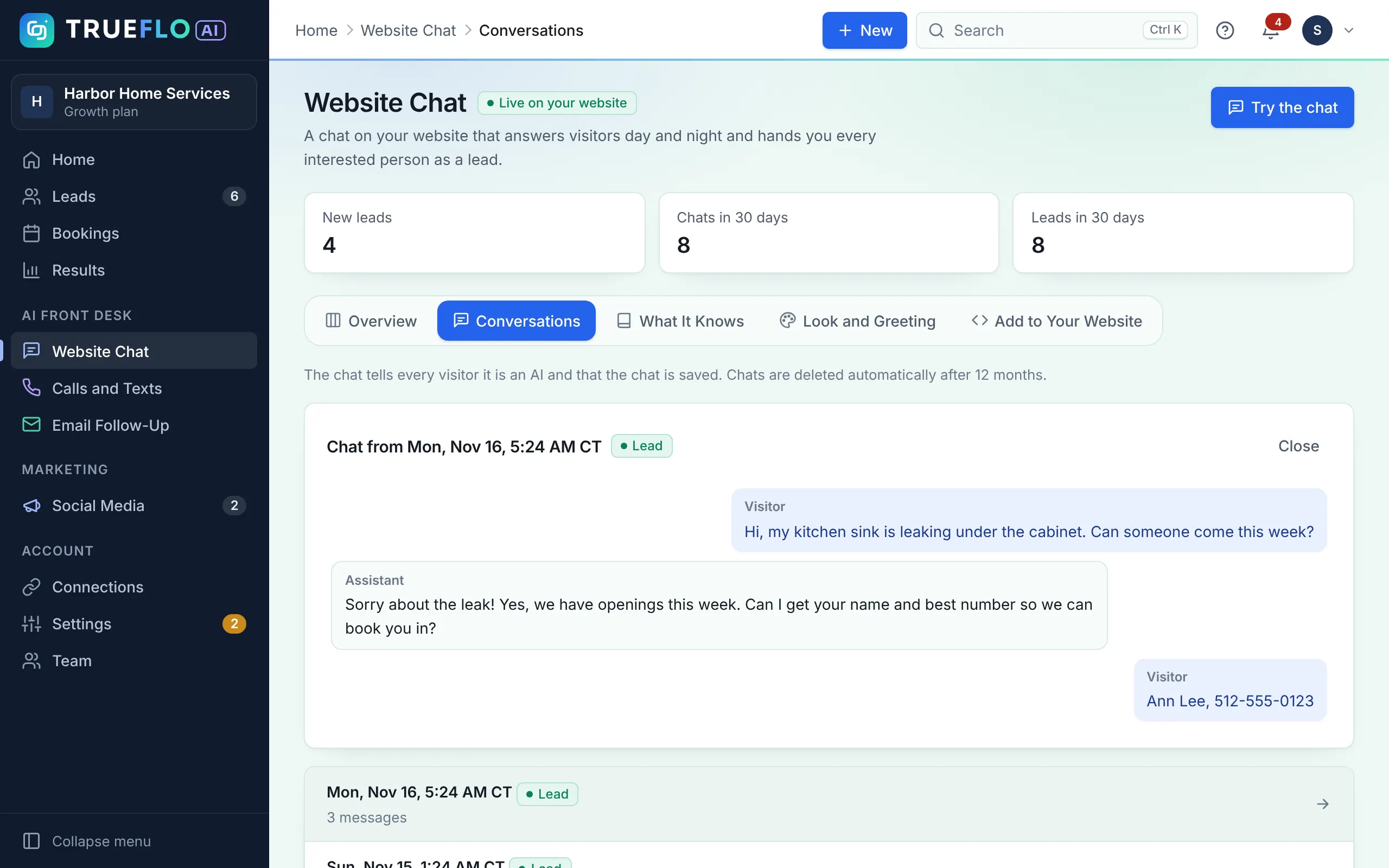
Website Assistant

A helper on your website that answers and books, even at 2 AM.

  1. 1We add one line of code to your website, or show you how.
  2. 2Visitors ask questions and the AI answers, clearly labeled as an AI assistant.
  3. 3When they're ready, it books the visit or takes their details for you.
Your part

Nothing day to day. 500 chats a month included.

Your customer sees

Answers right away, in plain words.

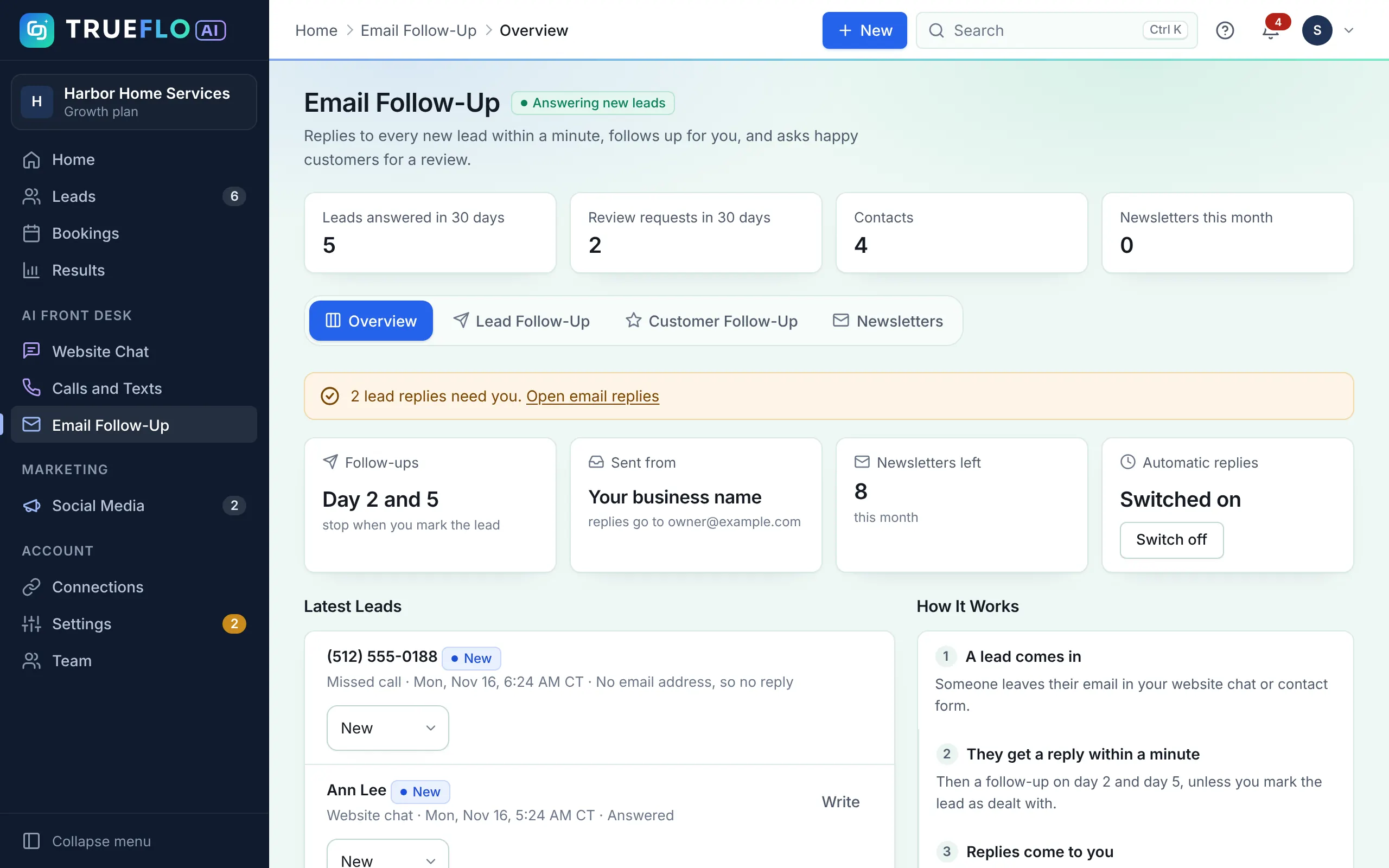
Lead Email Replies and Follow-Ups

Every form or email lead gets a reply from you in about a minute.

  1. 1A lead fills in your website form, or one arrives from Zapier or your CRM.
  2. 2Within about a minute the AI replies from your own mailbox, with a 10-minute undo.
  3. 3No answer? It follows up on day 2 and day 5, and stops the moment they reply.
Your part

Their replies land in your own inbox.

Your customer sees

A fast, personal reply from you.

AI Booking

No scheduler needed. It books the job while you work.

  1. 1Connect Google or Outlook Calendar, or use your own booking link (Calendly, Jobber, Housecall Pro, Vagaro).
  2. 2In texts, chat and emails the AI offers only the times you're free and books the visit.
  3. 3The customer gets a confirmation and a reminder the day before. You get an alert.
Your part

Show up. You still decide who goes on which job.

Your customer sees

A booked time in minutes, without phone tag.

Google Review Requests

Happy customers, asked at the right moment.

  1. 1You mark a job or visit as done.
  2. 2About two hours later, in daytime hours, the customer gets a short thank-you with your Google review link.
  3. 3You see who clicked in Results.
Your part

Add your Google review link once.

Your customer sees

A friendly thank-you that makes a review easy.

Trueflo AI also drafts a reply to each new Google review. You check it and post it with one tap.

AI Voice Receptionist (Add-On)

A natural voice that answers instead of voicemail.

  1. 1We switch it on and connect it to your Trueflo AI number.
  2. 2The AI picks up the calls you miss (or every call), answers questions and takes the caller's details.
  3. 3Urgent calls go straight to your phone. Every call lands in Leads with a summary and transcript.
Your part

Choose when it answers. $149 a month for 300 minutes.

Your customer sees

A real answer, any time they call.

When the minutes run out, missed calls go back to getting a text.

All-in-One

Everything in AI Social Media Manager and AI Front Desk, working together.

$349/mo →

Posts Bring Them In

Your social media sends people to your website, booking page and phone.

  1. 1Your posts go out every week.
  2. 2People see them and reach out by call, text, chat or form.
Your part

Approve posts.

Your customer sees

Your business, active and trusted.

AI Front Desk Books Them

Every one of them gets an answer and a booked time.

  1. 1Every call, text, chat and email gets answered and booked, as above.
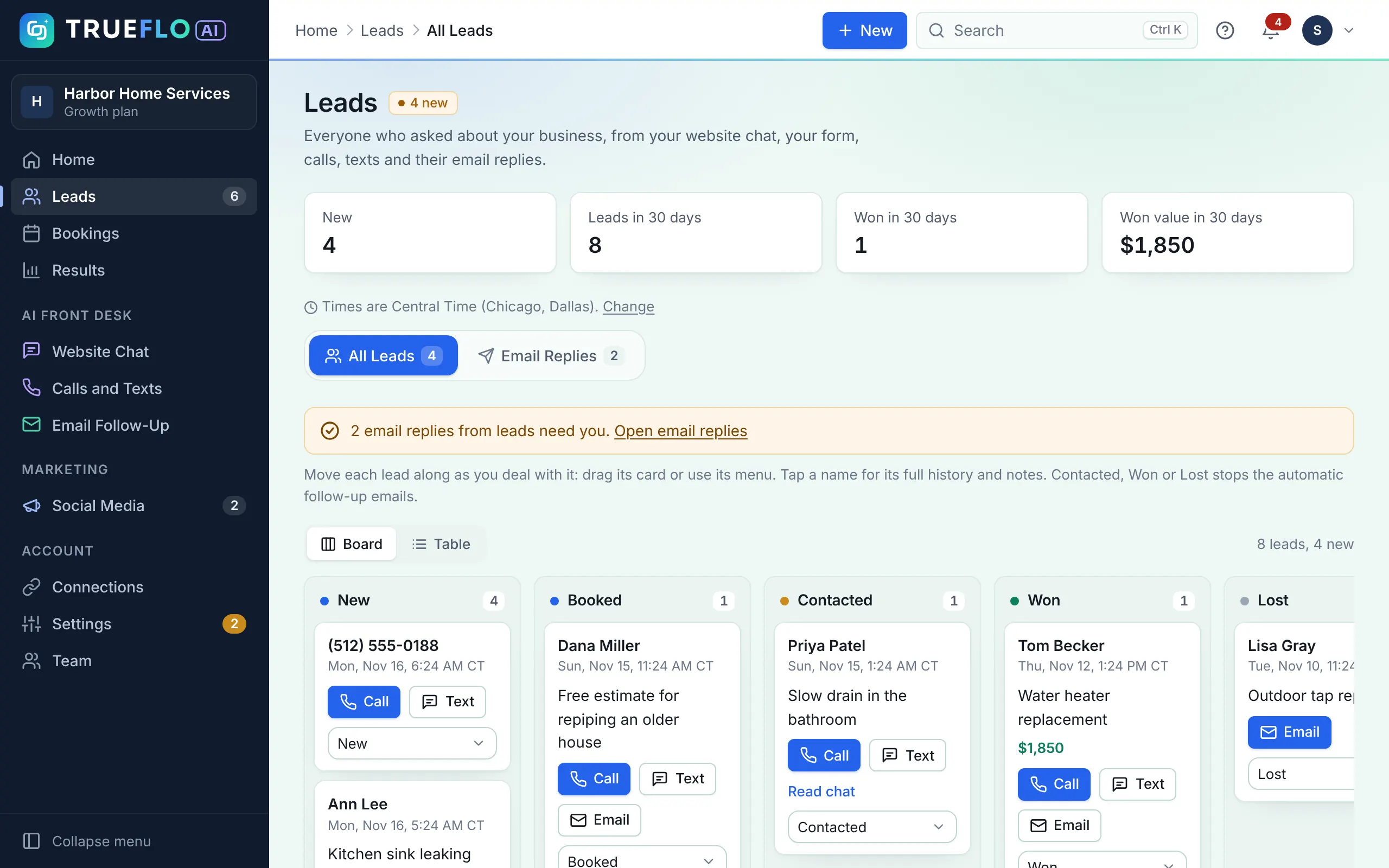
  2. 2The Lead CRM shows every customer in one pipeline: where they came from, and what was booked and won.
Your part

Do the work.

Your customer sees

A business that answers fast.

See the Real App

The Screens You'll Actually Use

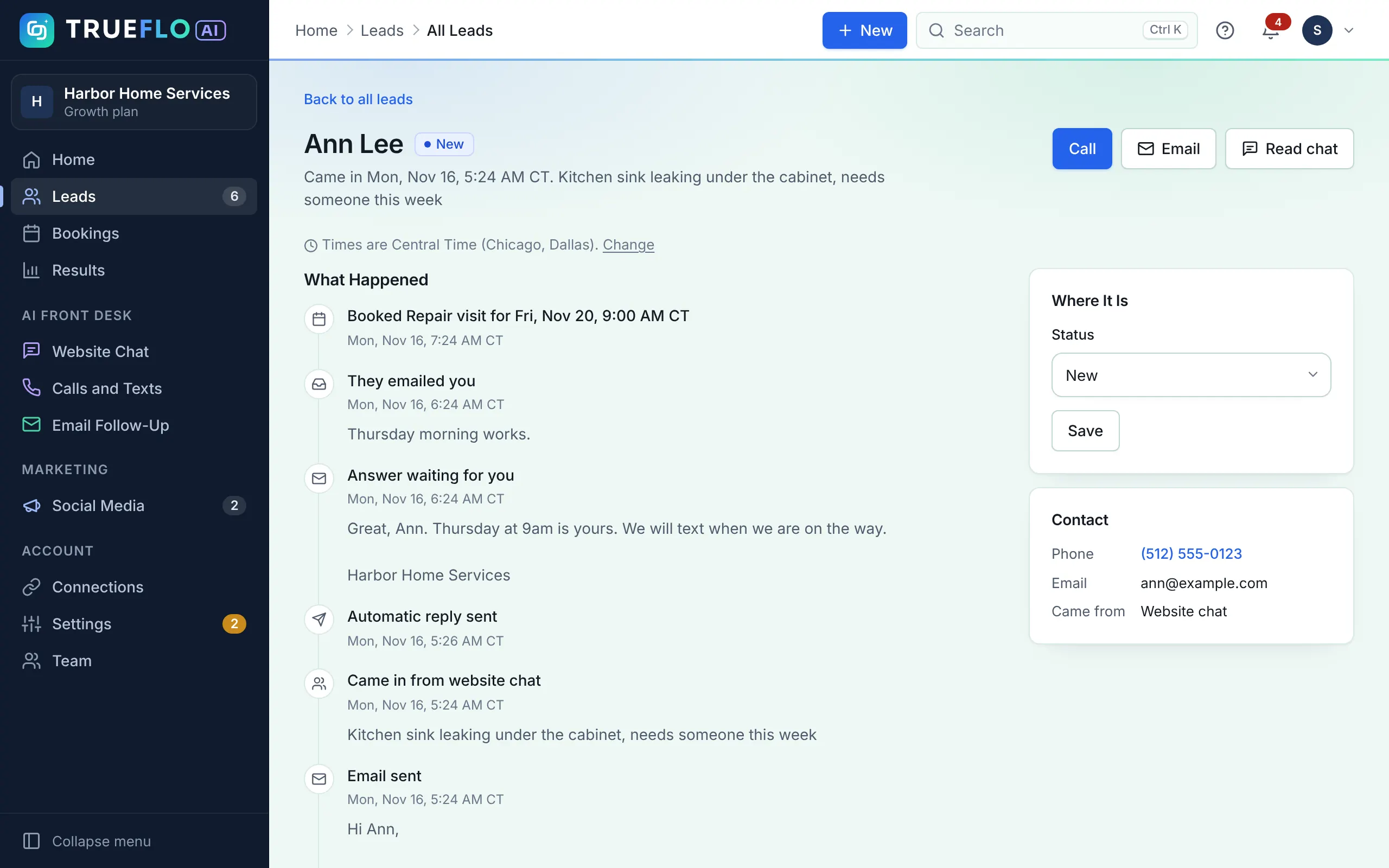
These are real screens from Trueflo AI, shown with a sample account. They aren't mock-ups.

Posts waiting for approval with Approve, Ask for a change and Approve all buttons
Approve posts. Read each post, then approve it or ask for a change. Approve all does the lot in one tap.
Built for Two Kinds of Business

How It Works for Your Business

Example: Glow Room Med Spa. Your injectors are with clients all day, and enquiries come in at night.

  1. AttractEducational and seasonal posts

    Treatment explainers, team intros and offers like holiday glow facials. Before-and-after photos are used only with your client's consent.

  2. Engage"How much is lip filler?" at 9 PM

    The chat answers from your price list and books a consultation. It books visits only and never asks for medical history.

  3. EngageMissed call during a treatment

    The caller gets a text back in seconds, so they don't ring the clinic down the road.

  4. Follow upReviews and touch-ups

    A review request after the visit, and a reminder about 12 weeks later when a touch-up is usually due.

Trueflo AI for med spas
Your First Week

What Happens After You Sign Up

  1. Day 1

    30-Minute Kickoff Call

    We learn about your business, services, prices and the customers you want, and how you like to sound.

  2. Days 2 to 4

    We Set Everything Up

    We connect your accounts and mailbox, load your brand, connect your calendar, train your AI and prepare your first posts.

  3. Day 5

    You Check and Go Live

    You review your first posts, try the AI with a test call, chat and lead. When you're happy, we switch it on.

What We'll Need from You

About 30 minutes for the kickoff call and 15 minutes to review. The setup fee covers the rest. On a yearly plan, setup is free.

  • Admin access to your Facebook page and Instagram business account
  • The email address you want replies sent from
  • Your logo, a few photos and your price list or menu
  • Your website login, or someone who can add one line of code
  • Your Google or Outlook calendar, and the business phone number you use

A Few Things Take Longer, and We'll Tell You Upfront

  • Texting approval. US phone carriers must approve your business before texts can go out. This usually takes a few days and can take up to 3 weeks. Website Assistant, lead emails and booking work from day one.
  • Social accounts. You'll need to be an admin of your Facebook page and connect an Instagram business account.
  • Your calendar. You sign in to Google or Outlook once so the AI can see when you're free.
Every Week After That

Who Does What

Trueflo Does

  • Writes and designs your social posts and plans them on a calendar
  • Publishes approved posts at the right time
  • Replies to new leads in about a minute and follows up
  • Texts back missed calls and answers visitors in your Website Assistant
  • Books visits into your calendar and sends reminders
  • Follows up on leads on day 2 and day 5, and asks for Google reviews

You Do

  • Approve posts, or ask for changes, in a few taps
  • Show up to the jobs it books, and step in when you want to
  • Tap Job done on a lead, or paste the day's customers, so review requests go out
  • Tell us when your offers, prices or hours change

Plan on a few minutes a week to approve posts.

Questions

How It Works FAQ

Do I need to learn new software?

No. We set everything up with you. Day to day, you approve posts and look at your leads, from your phone or computer.

Does anything go out without my OK?

Social posts wait for your approval unless you switch on autopilot. Replies to customers follow the prices, hours and answers you gave us, and you can read every conversation.

Do I still need a scheduler?

No. With AI Front Desk or All-in-One, Trueflo AI books visits into your Google or Outlook calendar. If you'd rather keep your own booking link, the AI can send that instead.

Can I buy just one part?

Yes. AI Social Media Manager is social media on its own, and AI Front Desk is calls, texts, chat, lead emails, booking and follow-ups on its own. All-in-One is both.

Do I keep my phone number?

Yes. Trueflo AI adds a local texting number, and missed calls on your line get a text back from it.

How long until I'm live?

About a week for most businesses. Texting can take longer while US carriers approve your business, but chat, emails and booking work from day one.

See Trueflo Working for a Business Like Yours.

Book a free 15-minute call. We'll show you sample posts, a lead follow-up and the website assistant for your industry.