Glow Room Med SpaHoliday gift cards are hereMED SPA
Social Media Automation
A Month of Posts, Made by AI and Approved by You.
Trueflo writes and designs your social media posts in your brand, lines them up on a calendar, and publishes the ones you approve. Your pages stay active even in your busiest weeks.
How It Works
From Blank Calendar to Published Posts in Four Steps.
- Step 1 · Setup call
Tell Us About Your Business Once
Your services, offers, tone of voice, logo, colors and a few photos. We load it all during setup.
- Step 2 · AI writes and designs
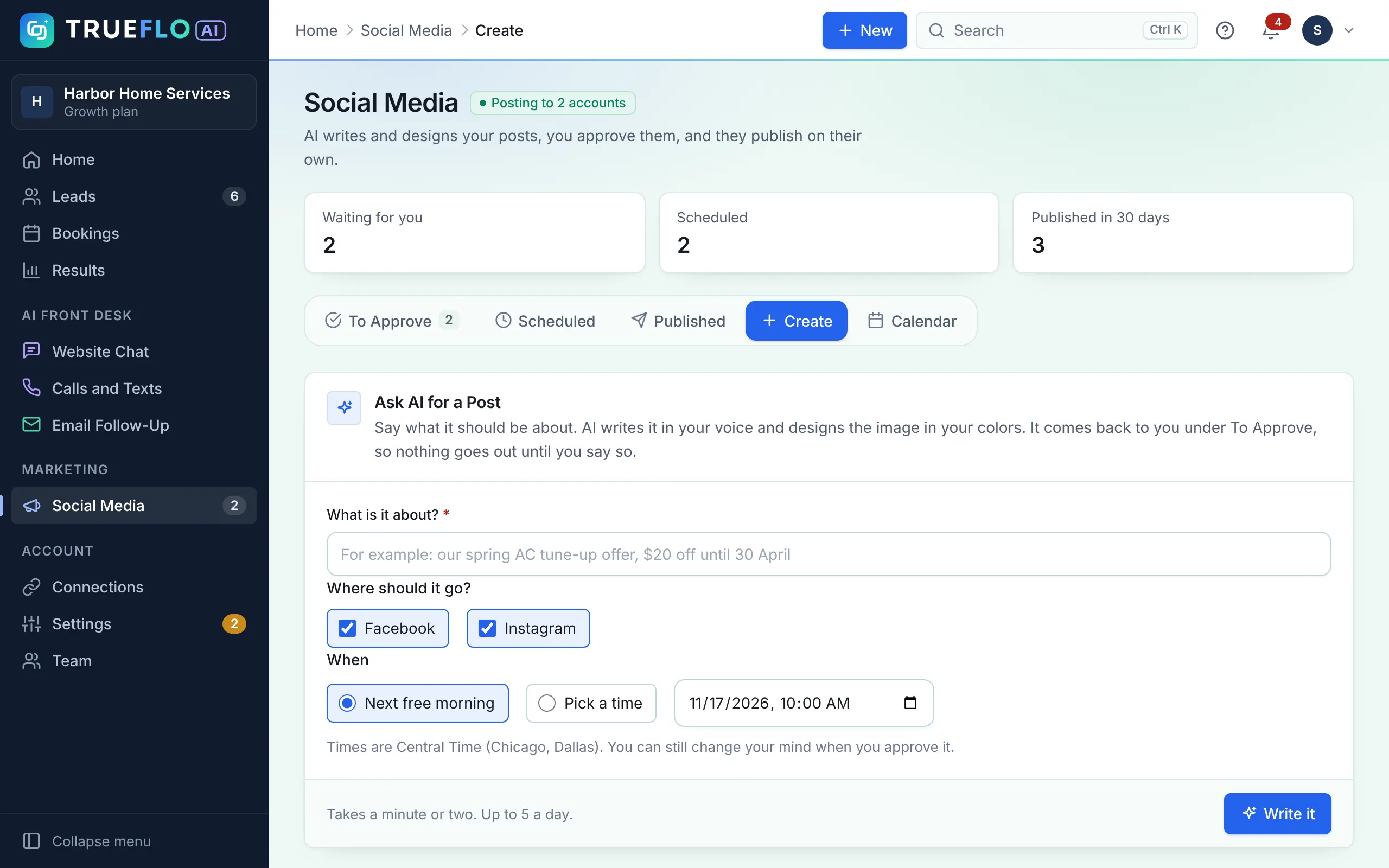
AI Makes Your Posts
Trueflo writes the captions and designs the images with your brand and photos, planned weeks ahead.
- Step 3 · A few minutes a week
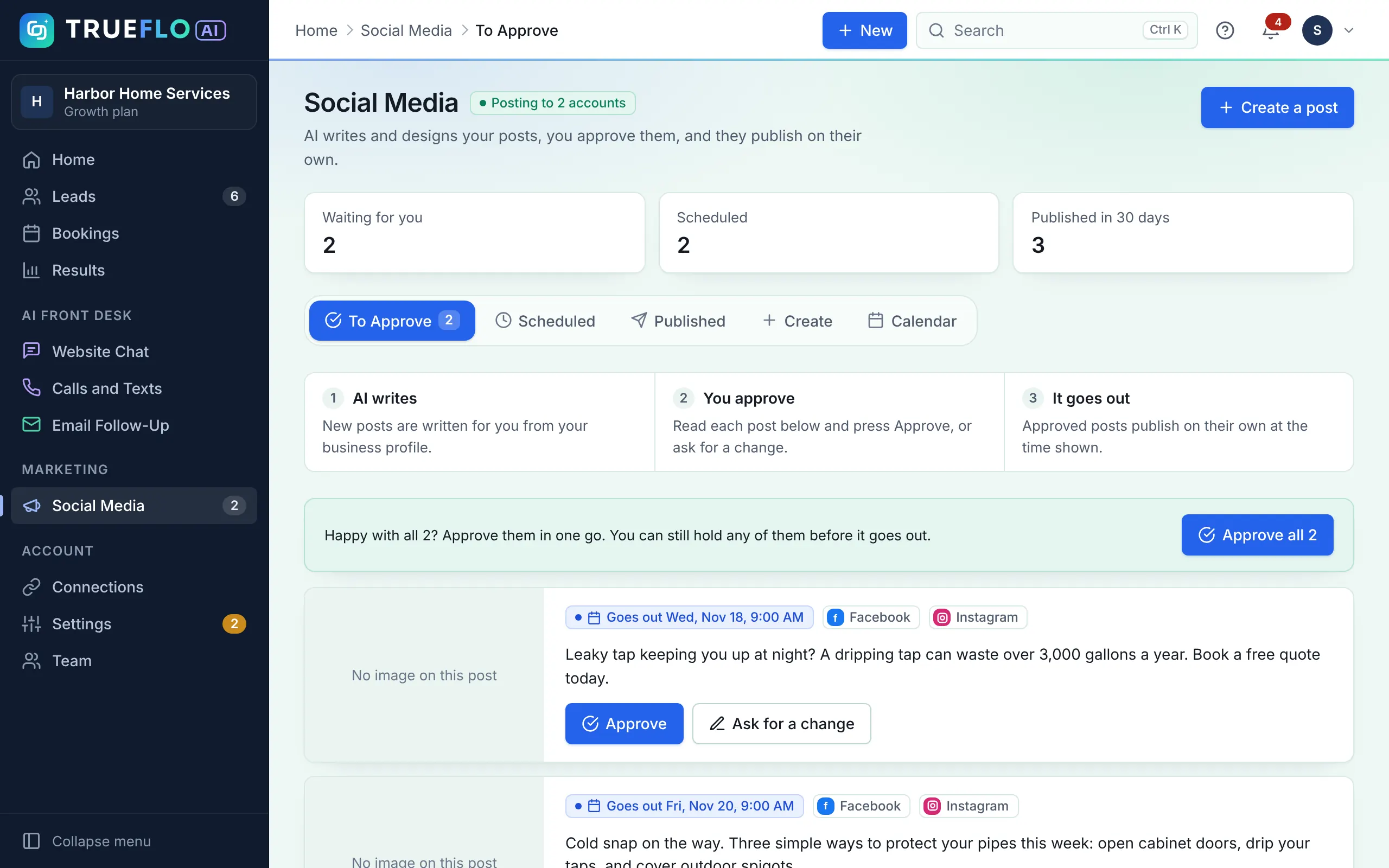
You Approve from Your Phone
We email you when posts are ready. Tap Approve, or ask for a change and the AI rewrites it.
- Step 4 · Automatic
Posts Go Out on Time
Approved posts publish at the planned time, and you see likes and comments in your dashboard.
What You Get
Everything You Need to Stay Active on Social Media.
Posts in Your Brand
Your logo, colors and fonts on every image, so posts look like they came from you.
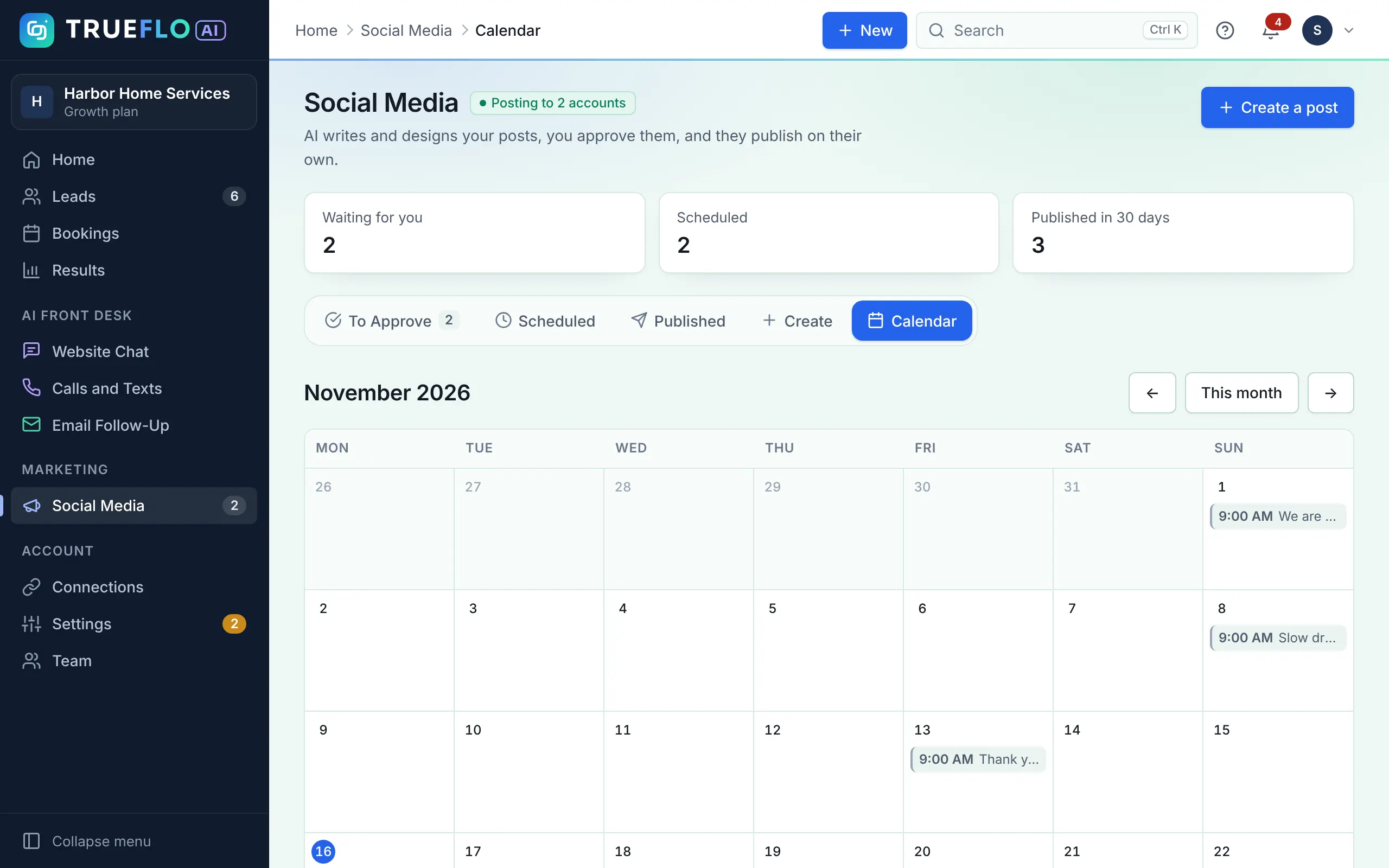
A Posting Calendar
See what goes out and when, weeks ahead.
Your Own Photos
Upload photos of your work, team or shop. Trueflo mixes them with AI-made images.
Approve by Email
No app to install, no password to remember.
Optional Auto-Approve
Too busy? Posts you haven't checked by a set time go out on their own.
Likes and Comments
See how each published post is doing, all in one place.
Networks
Post to the Networks Your Customers Use.
Connect your accounts with each network's official sign-in. We never see your passwords.
Facebook PagesLive
Instagram businessLive
ThreadsLive
LinkedIn pagesLive
X (Twitter)Live
PinterestLive
GGoogle Business ProfileLive
The Difference
Before and After Trueflo
✕Without Trueflo
- ✕Posting happens when you remember
- ✕Late nights writing captions
- ✕Pages look quiet for weeks
- ✕Paying a freelancer or agency by the post
With Trueflo
- Posts planned weeks ahead
- AI writes and designs every post
- Your pages stay active, even in busy weeks
- One monthly price, up to 60 posts
Price
$149 A Month. Everything Included.
Plus a one-time $199 setup fee, waived on yearly plans. Cancel at the end of any month.
Secure checkout by Paddle. Or add AI Front Desk with All-in-One for $349/mo.
Posts a monthUp to 60
AI-made pictures a monthUp to 30
Branded images with your logo and photosEvery post
NetworksFacebook, Instagram, Threads
Setup call and onboardingIncluded
See the Real App
What Social Media Looks Like in the App
Real screens from Trueflo AI, shown with a sample account. They aren't mock-ups.
Questions
Social Media Automation FAQ
Will anything post without my approval?
No. Every post waits for your OK, unless you choose to turn on auto-approve.
Who writes the posts?
Trueflo's AI writes and designs them from the business details you give us. You review and approve every one.
Can I ask for changes?
Yes. Press "Ask for changes", say what you want different, and the post is rewritten for your OK.
Can it post our job photos or before-and-after photos?
Yes. Home service businesses can send job photos and Trueflo turns them into posts. For med spas, before-and-after photos are only used with your client's written consent, and posts never promise results.
Does it reply to comments for me?
Not yet. You can see likes and comments in your dashboard and reply on the network as usual.
Can I add more later?
Yes. Move to All-in-One at any time to add AI Front Desk: missed-call text-back, Website Assistant, lead email replies and AI booking.
See Trueflo Working for a Business Like Yours.
Book a free 15-minute call. We'll show you sample posts, a lead follow-up and the website assistant for your industry.